Move without
thinking about it.
Share one keyboard and mouse across your computers. Cross the edge of a screen and keep going.
SEAMLESS KVMMove beyond a single screen. Connect your Windows devices and make them work together, naturally.
From the desk in front of you to the device beside you, NerveDesk brings your tools closer together.
Move your mouse across screen edges and control another computer with the same keyboard and mouse.
Your laptop can sit to the left, right, or above your main screen. Choose a position below to see how your workspace comes together.
A little less switching. A lot more doing. Explore the tools that bring your workspace together.
Share one keyboard and mouse across your computers. Cross the edge of a screen and keep going.
SEAMLESS KVMMirror a screen or extend your workspace with a virtual display.
SCREEN & DISPLAYShare clipboard content, synchronize folders, and bridge audio between devices.
CLIPBOARD · FILES · AUDIOUse your phone browser as a remote, share files, or turn your phone into a camera for your PC.
Your desktop, within reach.
More than another screen. Use the device already in your pocket to stay connected to your PC.
ILLUSTRATIVE DEMO · SELECT A FEATUREUseful connections, without making you think about the connection.
Copy text or an image on one computer and paste it on another.
Keep selected folders synchronized between your computers.
Send system audio between PCs or play phone audio through your PC speakers.
Discover devices on the same local subnet and connect with a security key.
Manage your connections and features from the NerveDesk desktop app.
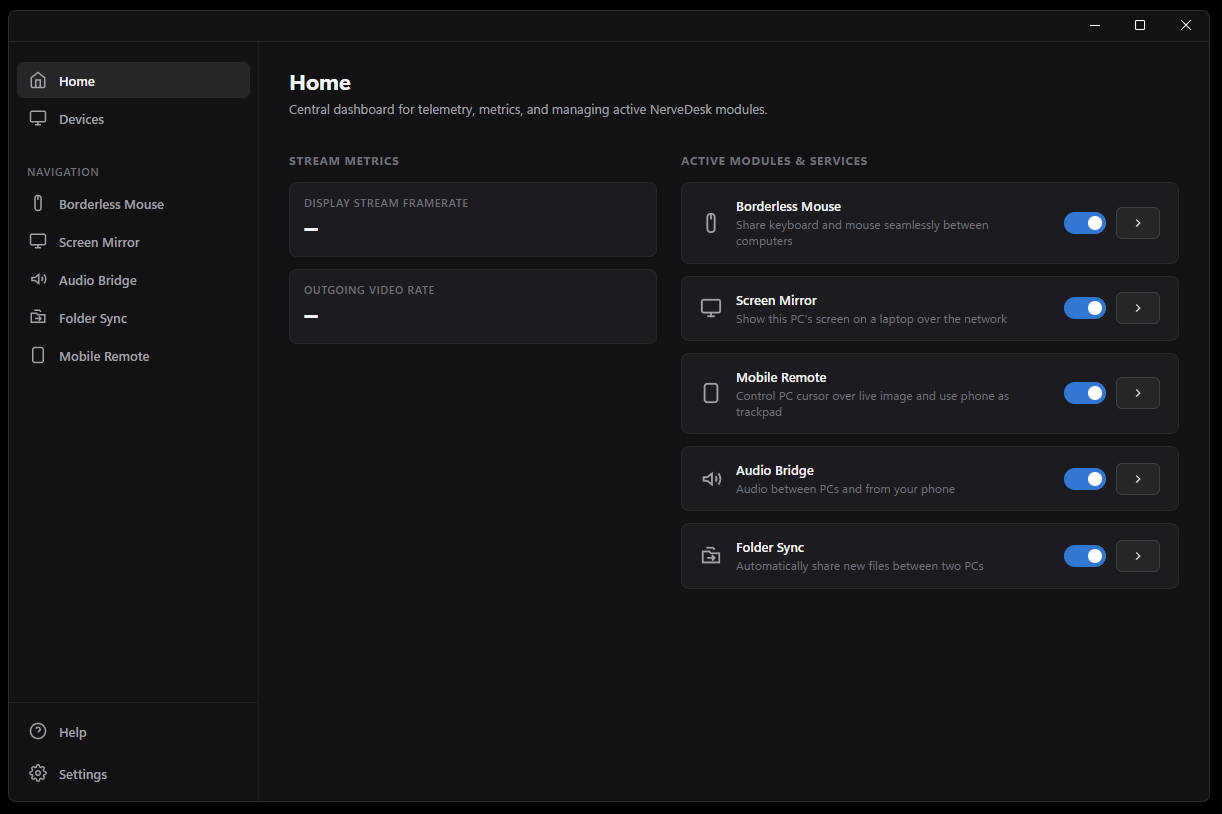
Built for Windows and designed to work across your local network.
Download and install NerveDesk on your Windows computers.
Bring your devices onto the same local network and discover them in the app.
Arrange your screens, choose the features you need, and settle into your flow.
Windows 10 or 11 and devices connected to the same local network. A wired connection or 5 GHz Wi-Fi is recommended.
The virtual display feature requires the bundled display driver. Screen mirroring and keyboard and mouse sharing work without it.
Yes. Mobile Remote runs in your phone's browser and uses a PIN to connect. Your phone can also be used as a camera or for Quick Share.
Your devices have more to offer together.
Download for WindowsWINDOWS 10 / 11 · VERSION 1.0.0